
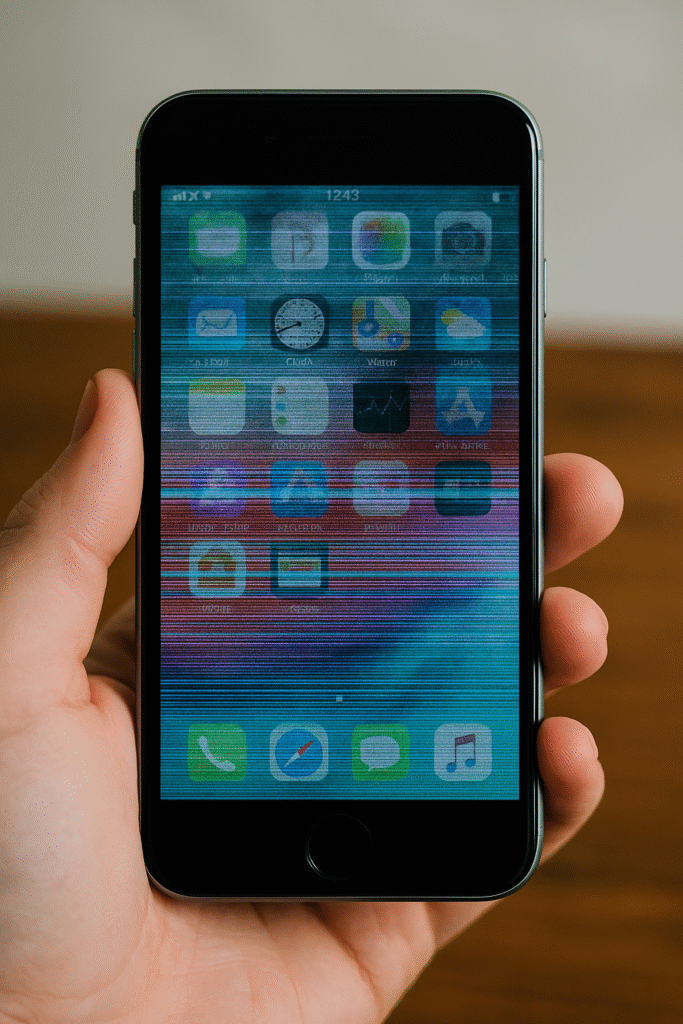
Every iPhone owner has faced that one tiny issue — maybe your screen lags for a second, your battery drains faster than usual, or your camera flickers once in a while. It feels harmless, right? Unfortunately, those minor glitches often mark the beginning of deeper internal problems that can shorten your phone’s lifespan faster than you realize.
At Quick Fix iPhone, our certified repair technicians have seen it all — from ignored software bugs that corrupted logic boards to minor screen freezes that led to complete device shutdowns. Understanding why these small malfunctions occur and how they snowball into critical failures is the first step toward protecting your investment.
Ignoring these signs doesn’t just cost you performance — it can cost you your device entirely.
Section 1: Understanding the Lifecycle of iPhone Glitches
How Small Errors Start
Every iPhone, no matter how advanced, relies on delicate coordination between software and hardware. A “minor glitch” can come from an app crash, temporary overheating, a loose internal connector, or a tiny system corruption during updates.
When left unchecked, these problems multiply. For instance:
- A screen that freezes once might later stop responding to touch.
- A battery that drains quickly may signal a degrading power IC.
- A flickering display could mean loose backlight circuits.
These aren’t isolated issues — they are warning signs that something inside needs immediate attention.
Image Suggestion:
Image: iPhone displaying a glitchy screen during use
Alt Text: iPhone showing display glitch caused by internal circuit issue
Why Ignoring Them Is Risky
Apple devices are tightly engineered. That’s why even small imbalances — such as irregular voltage flow or corrupted firmware — can strain multiple components simultaneously. Ignoring a glitch means forcing your iPhone to “work harder” against its own faults, which accelerates internal wear.
If you notice these early symptoms, don’t wait for them to worsen. You can book a professional diagnosis here to catch the root cause before it spreads.
Section 2: The Hidden Damage Caused by Minor Glitches
1. Battery Stress and Power IC Degradation
One of the first casualties of an ignored glitch is your iPhone’s power system. Even something as small as random shutdowns or lag during charging may suggest voltage mismanagement.
Over time, these issues affect the Power IC (Integrated Circuit) — the chip responsible for regulating battery performance. Once damaged, it can cause:
- Overheating while charging
- Random reboots
- Rapid battery drainage
- Complete power failure
At that stage, a power IC-level repair becomes necessary — a costlier process that could have been avoided with earlier attention.
2. Screen Damage and Touch Failure
Small display issues like ghost touches, temporary blackouts, or flickering backlights might appear insignificant. But these are often early signs of:
- Failing digitizer circuits
- Loose connectors
- Moisture exposure under the glass
Ignoring these can escalate into a full-screen replacement. Regular cleaning, protective cases, and early diagnostics can save both money and data.
If your screen shows recurring minor glitches, our iPhone repair experts can diagnose whether it’s a hardware or software-related failure.
3. Logic Board Corruption
When users delay small software repairs or run on outdated iOS versions, firmware corruption can reach the logic board, which controls almost everything — from charging to Wi-Fi connectivity.
Even a single short circuit or overheating episode can permanently damage board connections.
Our team handles advanced logic board-level repairs, restoring your device with precision-level micro-soldering tools.
4. Overheating and Component Breakdown
That minor glitch you ignored after a long gaming session might just be your iPhone signaling a deeper thermal problem. Overheating accelerates internal wear, affecting:
- The battery’s lithium stability
- The CPU’s thermal resistance
- Solder joint connections
If your iPhone often feels warmer than usual, schedule a quick inspection through Quick Fix iPhone’s repair portal before the damage reaches irreversible stages.
5. Software Bugs and Data Loss
Software glitches can quietly corrupt system files or background data. Repeated app crashes, delayed notifications, or camera errors can indicate deeper iOS corruption.
While a simple reset might fix the issue temporarily, professional tools and diagnostics ensure long-term stability.
Visit our Contact page for guidance on whether your glitch needs a minor fix or a full system reflash.
Section 3: Practical Steps to Prevent iPhone Failure
1. Don’t Delay Diagnostics
The longer you wait, the more costly repairs become. At Quick Fix iPhone, technicians use advanced diagnostic tools to detect underlying damage — even when symptoms seem small.
A 15-minute check can prevent a complete board replacement later.
2. Keep iOS Updated
Many glitches come from outdated software that conflicts with newer apps. Always update your iOS version, but avoid third-party installations or beta versions unless you understand the risks.
You can also get guidance on safe updates from our experts by contacting us directly through Quick Fix iPhone Support.
3. Regular Cleaning and Maintenance
Dust, moisture, and pocket lint are silent killers for your iPhone’s ports and speakers. Periodic cleaning prevents corrosion, short circuits, and connectivity errors.
If you notice distorted sound, muffled speakers, or charging issues, our repair technicians can safely clean internal components without voiding your warranty.
Image Suggestion:
Image: Technician cleaning iPhone charging port using professional tools
Alt Text: Cleaning an iPhone port to prevent corrosion and connection problems
4. Replace Accessories on Time
Using cheap, uncertified charging cables and adapters often introduces electrical surges that trigger system glitches.
Always use MFi-certified accessories or visit Quick Fix iPhone’s store for authentic replacement parts.
5. Trade or Sell Before It’s Too Late
If your iPhone constantly shows minor issues, it may be approaching its failure threshold. Instead of waiting for total breakdown, consider trading or selling it through Quick Fix iPhone’s Sell Program.
This helps recover value before the device depreciates due to irreversible logic or screen damage.
6. Use Preventive Care Plans
Quick Fix iPhone also offers B2B computer and device repairs for businesses and individuals who manage multiple devices. Regular checkups ensure long-term performance, data protection, and lower annual repair costs.
Section 4: How Quick Fix iPhone Ensures Device Longevity
Our Diagnostic Approach
We use industry-grade diagnostic scanners that check every subsystem — power, display, logic board, and thermal behavior.
These insights allow technicians to detect “invisible faults” that typical users miss.
Component-Level Repair Expertise
From micro-soldering on logic boards to calibrating new Face ID sensors, every repair follows strict Apple hardware standards.
That’s why countless users trust Quick Fix iPhone to restore their devices to factory-level performance.
Image Suggestion:
Image: Technician using microscope for iPhone motherboard repair
Alt Text: Micro-soldering iPhone motherboard under diagnostic scope
Transparency and Warranty
We believe in upfront pricing, verified parts, and transparent communication. Whether it’s a cracked screen or software bug, you’ll always know the repair steps before approval.
For service availability, visit your nearest Quick Fix iPhone location or contact us for appointment scheduling.
Conclusion and Final Thoughts
Ignoring an iPhone glitch might feel harmless at first, but these small errors accumulate — damaging circuits, draining power ICs, or even corrupting your logic board. The longer you wait, the shorter your iPhone’s life becomes.
Taking early action doesn’t just save money — it saves your device’s health.
At Quick Fix iPhone, we combine precision repair with trusted service to help your iPhone last longer, perform smoother, and stay reliable for years to come.
FAQs
Q1: What’s the most common glitch iPhone users ignore?
A1: Screen freezing, quick battery drain, or unresponsive touch are the most ignored signs. These often point to deeper circuit or software problems that should be checked at Quick Fix iPhone’s repair center immediately.
Q2: Can small software bugs harm hardware components?
A2: Yes. Repeated software crashes can overwork your CPU, overheat your battery, and even trigger hardware stress. Early fixes protect both your system files and logic board.
Q3: How often should I get my iPhone checked for maintenance?
A3: Once every six months is ideal, especially if you notice slow charging, lagging apps, or random shutdowns. Visit Quick Fix iPhone to schedule routine diagnostics.
Q4: Is it worth repairing or should I buy a new iPhone?
A4: If the damage is localized (battery, screen, or port), repairs are usually much cheaper than replacements. Our repair team can evaluate your phone’s condition and provide transparent advice.
Q5: Does Quick Fix iPhone offer trade-in or selling options?
A5: Yes, you can sell or trade your device directly through our store to recover value or upgrade easily.
Disclaimer
This content is for informational purposes only and should not replace professional repair or diagnostic consultation. Always seek professional evaluation from certified technicians before attempting any iPhone repair yourself.